Nov 25, 2025
How to securely store API keys in your vibe coded project

Storing API keys properly is critical for your project's security. This guide shows you exactly how to keep your keys safe across all major vibe-code tools — Lovable, Replit, V0, and Bolt.
Why Secure Storage Matters
Think of API keys as the keys to your house. If you leave them lying around, anyone can use them to:
Access your paid services (costing you money)
Steal your data or your users' data
Take control of your integrations
Damage your reputation
🚨 DANGER SIGNS - Fix These Immediately:
You can see your actual API key (like "sk-abc123...") anywhere in your project files
Any variable name starts with "NEXT_PUBLIC" and contains a secret key
Your AI tool shows you the full key instead of hiding it with dots (••••••)
✅ GOOD SIGNS - You're Doing It Right:
Keys are stored in your platform's "Secrets" or "Environment Variables" section
Your code only shows things like
process.env.API_KEY(not the actual key)When you search your project files, you can't find your real keys
Step 1: Use a Digital Safe (Database Vault)
Instead of keeping your keys in your app files, put them in a secure vault. All popular app-building tools support these vaults:
Supabase (most popular choice for Lovable projects)
Firebase
Built-in platform secrets (Replit, V0, Bolt)
Step 2: Configure Your Platform
Simply tell your tool where to store the keys. Here's a prompt you can use:
Platform-Specific Setup
1. Lovable : Lovable doesn't have built-in secrets management yet. Use environment variables with Supabase:
Create a
.envfile in your project rootAdd your keys:
MY_API_KEY=your_key_hereReference them in code:
process.env.MY_API_KEYFor production, connect Supabase to store keys securely
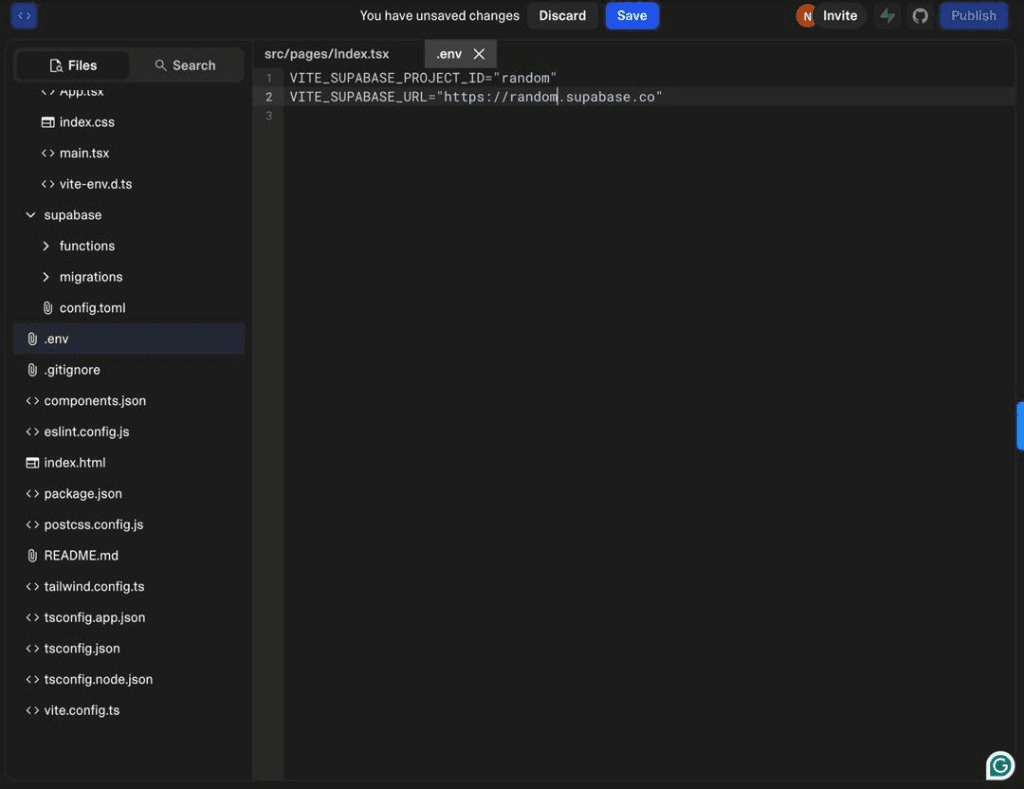
Important: Make sure .env is in your .gitignore file so it never gets uploaded to GitHub!
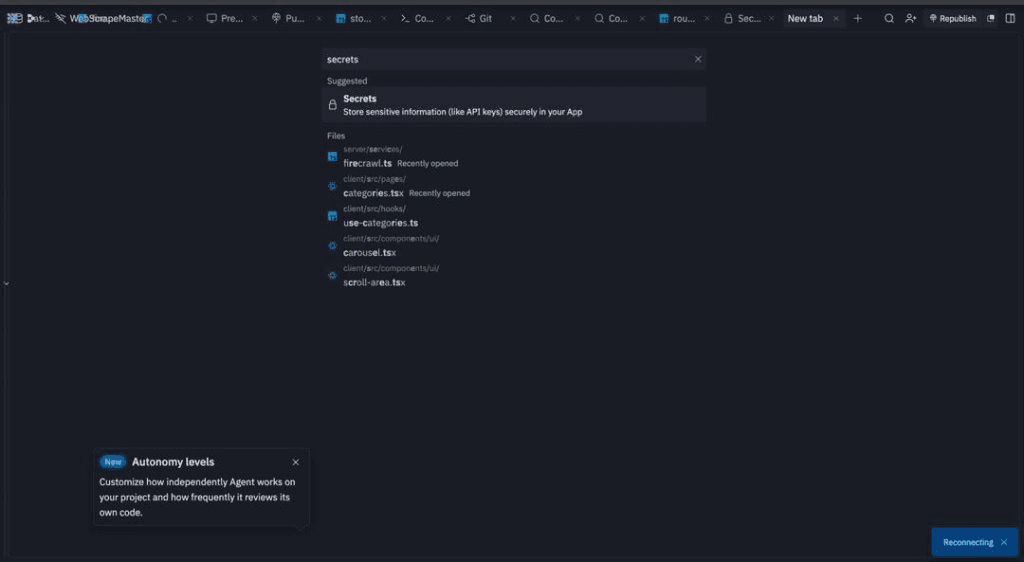
Replit : Replit has a built-in Secrets manager that's super easy to use:
In your Replit workspace, search for or click Secrets
Click "New Secret" and add key/value pairs
Access in code:
process.env.MY_KEYSecrets are never exposed to the client
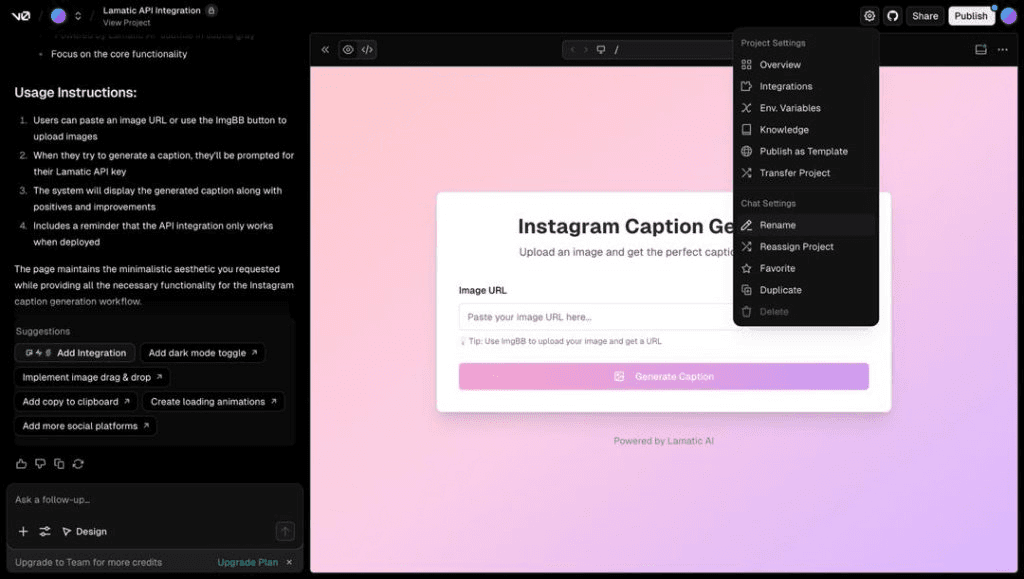
3. V0 (Vercel) : V0 uses Vercel's environment variables system:
Click the Settings icon for your project
Navigate to Environment Variables
Add your variables with names and values
Access via
process.env.VARIABLE_NAME
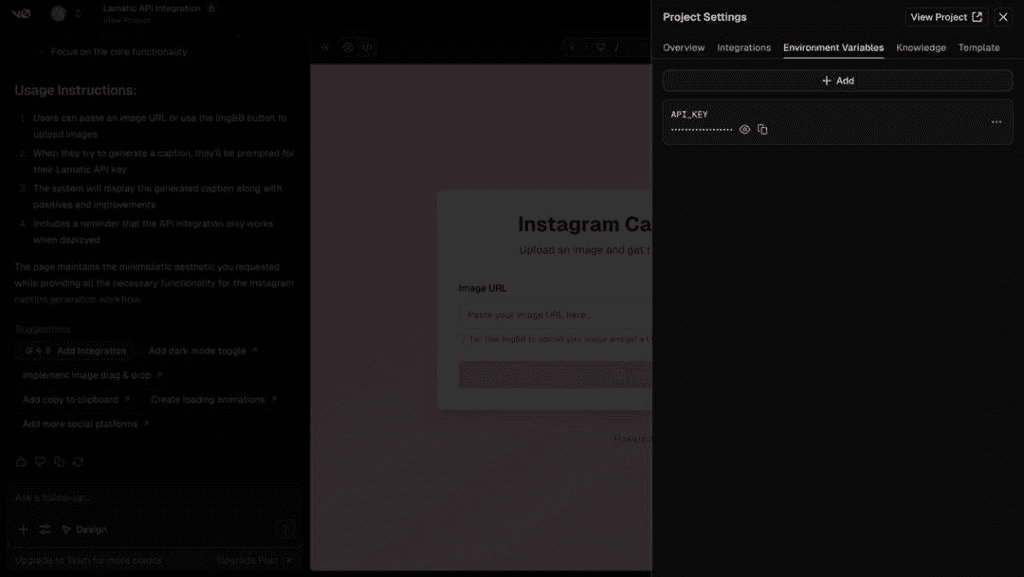
Warning: Never prefix secrets with NEXT_PUBLIC_ unless you explicitly want them visible to users!
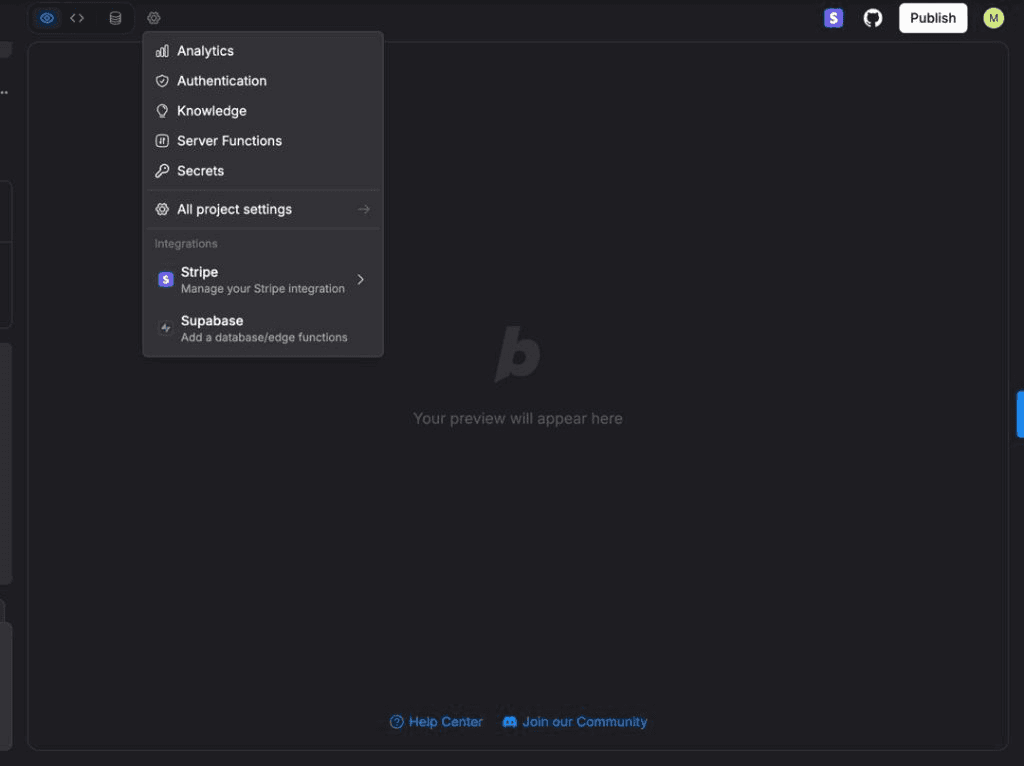
4. Bolt: Bolt provides a simple secrets management system:
Open Settings → Secrets in your Bolt project
Add each key with its value
Reference in code:
process.env.MY_KEYSecrets are automatically secured and hidden
Step 3: Run a Security Check
Use this prompt with your AI tool to verify everything is secure:
✅ DO These Things | ❌ DON'T Do These Things |
|---|---|
• Use environment variables or secrets managers • Add .env to .gitignore • Use different keys for dev and production • Rotate keys periodically • Use backend functions for secret API call • Test that keys are truly hidden | • Never commit API keys to GitHub • Never log keys to console • Never share keys in screenshots/videos • Never hardcode keys in your code • Never use NEXT_PUBLIC_ for secrets • Never store keys in client-side code |
If You Accidentally Expose a Key
Don't panic! Follow these steps immediately:
Revoke the exposed key in your service provider's dashboard
Generate a new key and store it properly this time
Update your app with the new key in the secrets vault
Check for unauthorized usage in your service logs
Set up billing alerts to catch unusual activity
🔒 You're Now Secure!
By following this guide, you've learned how to properly store API keys across all major vibe-code platforms. Your project is now protected from common security vulnerabilities.
Quick Security Checklist:
✓ All API keys stored in secrets/environment variables
✓ No keys visible in project files
✓ .env added to .gitignore
✓ Different keys for development and production
✓ Tested that keys aren't exposed to users
Still Stuck? Get Expert Help
Don't waste hours trying to figure it out alone. Connect with a vetted developer who can help you get unstuck and move forward with your project.